Your dashboard
Licenses, devices and GNM-23 plugin downloads, all in a single screen.
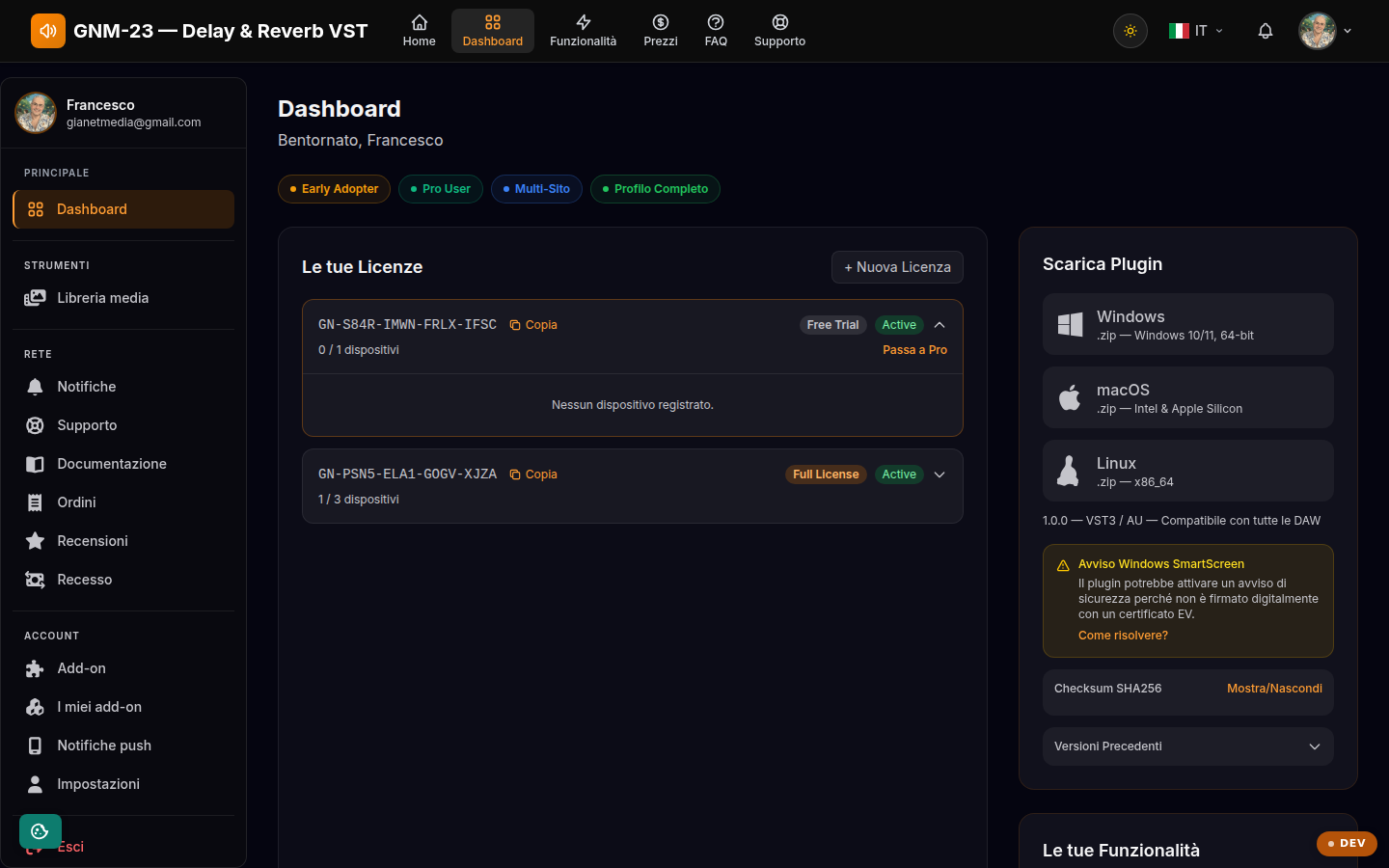
Key points
- Copy your license key and paste it into the plugin to activate it.
- Expand a license to view and manage the connected devices.
- Download the plugin for Windows, macOS or Linux from the panel on the right.
What the dashboard is for
The dashboard is the control center of GNM-23: it gathers your licenses with their key and status, the devices the plugin is activated on, the downloads for the three platforms and the list of features unlocked by your plan. Everything related to the day-to-day use of the plugin starts here.
Licenses and keys
Each license has a unique key: copy it with the button next to it and paste it into the plugin the first time you open it to activate it. The badge shows the plan (Free Trial or Full License) and status (Active/Trial). The Free Trial lasts 90 days with all features on 1 device; once it expires, the plugin mutes itself after 60 seconds per session. The Full License (€49, one-time payment) is perpetual for v1.x versions, covers 3 devices and includes all minor updates; when v2.x is released, the upgrade will cost €19.
Managing your devices
Click a license to expand it: you see each device with its name, operating system, plugin version and last access. If you have run out of slots (1 on trial, 3 with the Full License), remove a device to free one up: it can be reconnected at any time by reactivating the plugin. License verification happens with a heartbeat every 30 days, so the plugin also works offline between one check and the next.
Downloads and file verification
The Downloads panel offers the zip for Windows 10/11 (64-bit), macOS (Universal: Intel and Apple Silicon) and Linux (x86_64), always with VST3 and the Standalone app. On Windows the SmartScreen warning may appear, and on macOS the Gatekeeper block, because the plugin is not yet signed with a certificate: the dashboard explains how to proceed safely ("Run anyway" / "Open anyway" or the install.sh script). To verify the integrity of the downloaded file, compare the SHA256 checksum shown in the dedicated section; from the panel you can also download previous versions of the plugin.